What ComtradeMonster can do
An analysis suite for protection testing engineers — from COMTRADE import through every evaluation view to events.
Import & management
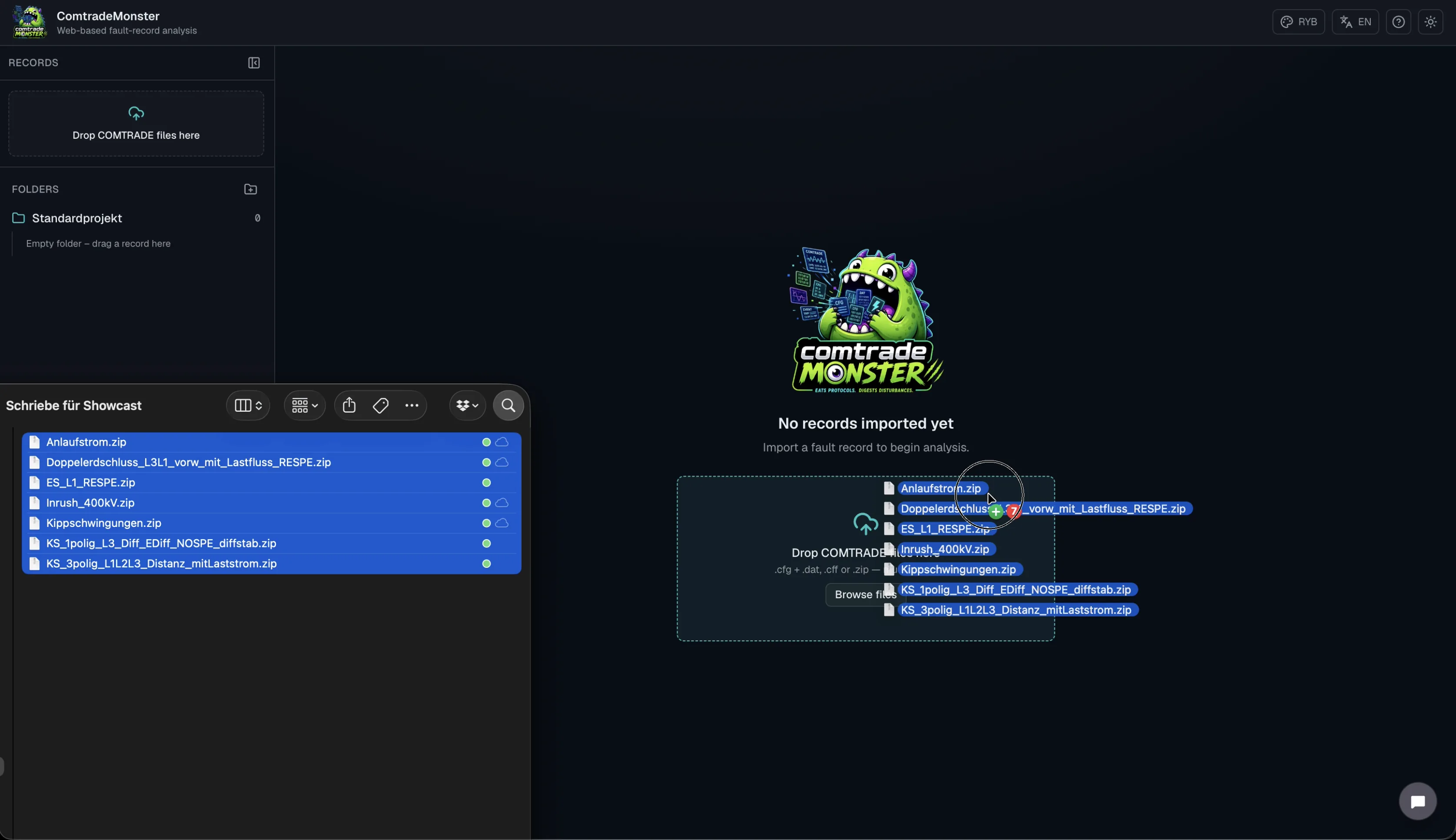
ComtradeMonster reads COMTRADE files of all revisions (1991/1999/2013) in ASCII and binary format and organizes disturbance records into projects.
- Support for .cfg/.dat/.hdr/.inf files and ZIP archives
- ASCII, BINARY, BINARY32, and FLOAT32 data formats
- Projects and folder structure for your disturbance records
- Automatic channel classification (current/voltage/digital)
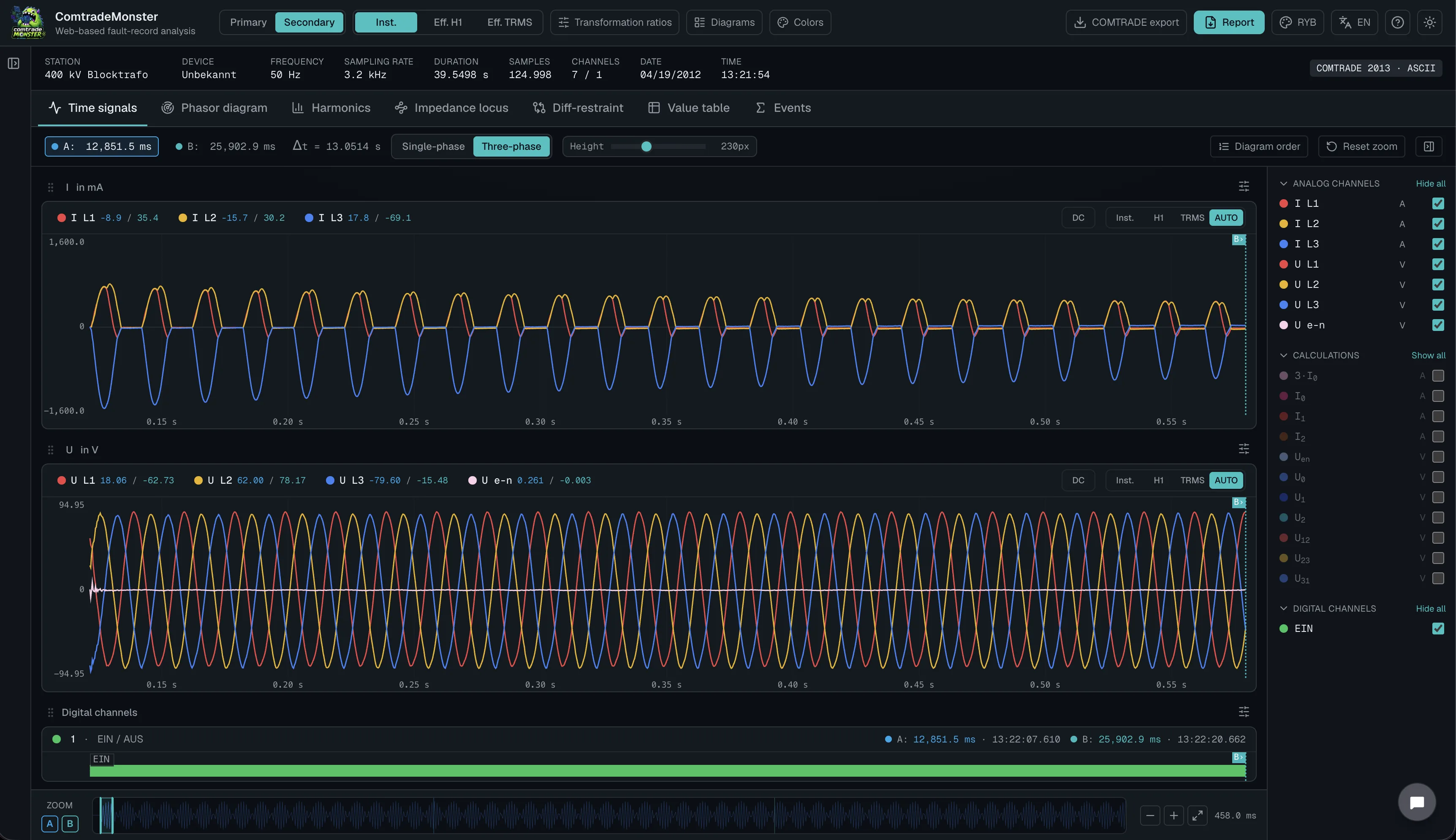
Time signal view
Inspect analog and digital channels over time with precise measurement tools for protection testing.
- Analog and digital channels in a synchronized time base
- A/B cursors with delta readout for amplitude and time
- Zoom and pan for detail analysis of fault inception
- Overlay compare of multiple disturbance records
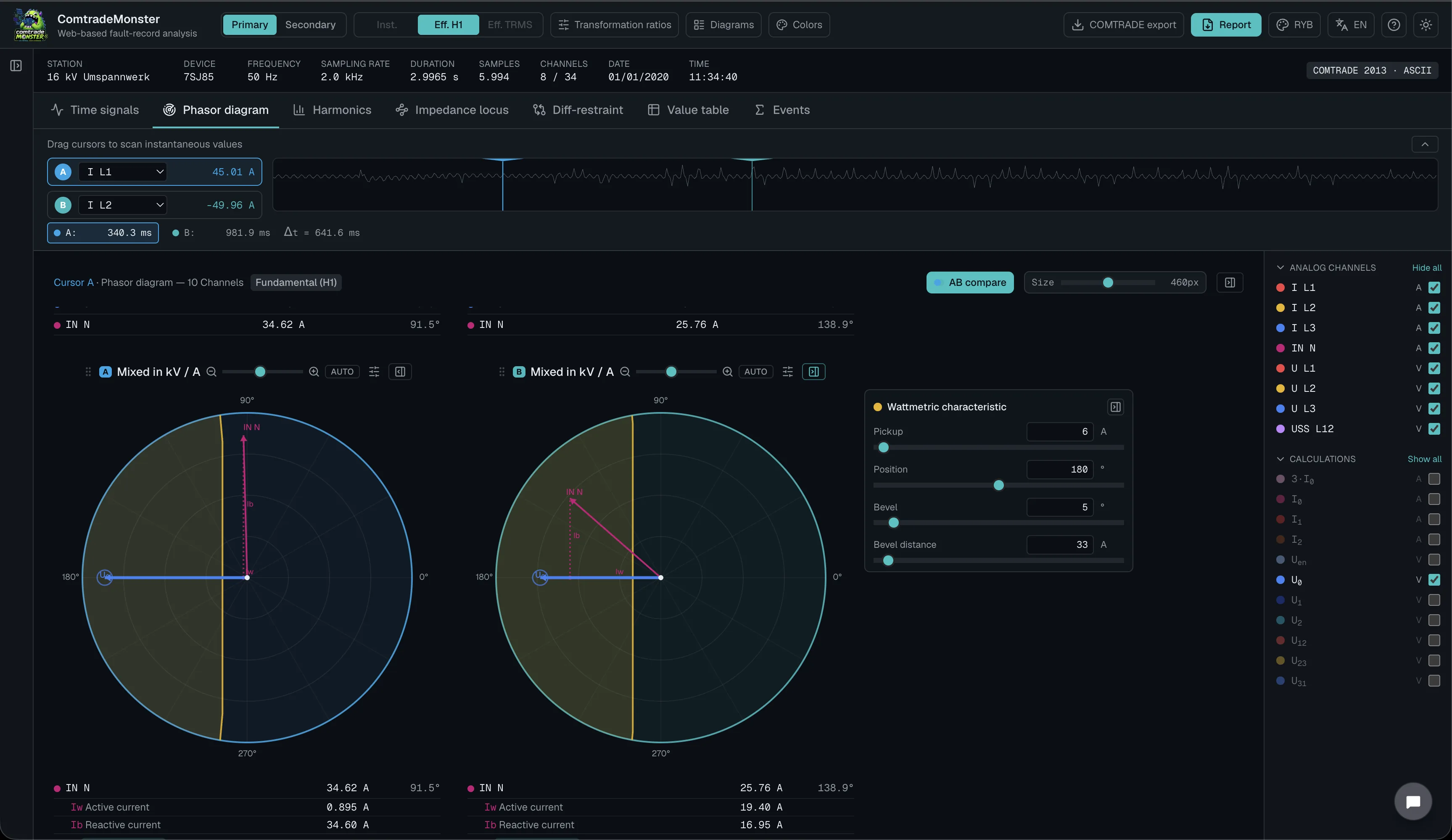
Phasor diagrams & symmetrical components
Phasors, positive/negative/zero sequence, and active/reactive current decomposition at a glance.
- Phasor diagrams with freely selectable phase reference
- Symmetrical components per Fortescue
- Wattmetric characteristic overlay
- Freely configurable diagram groups
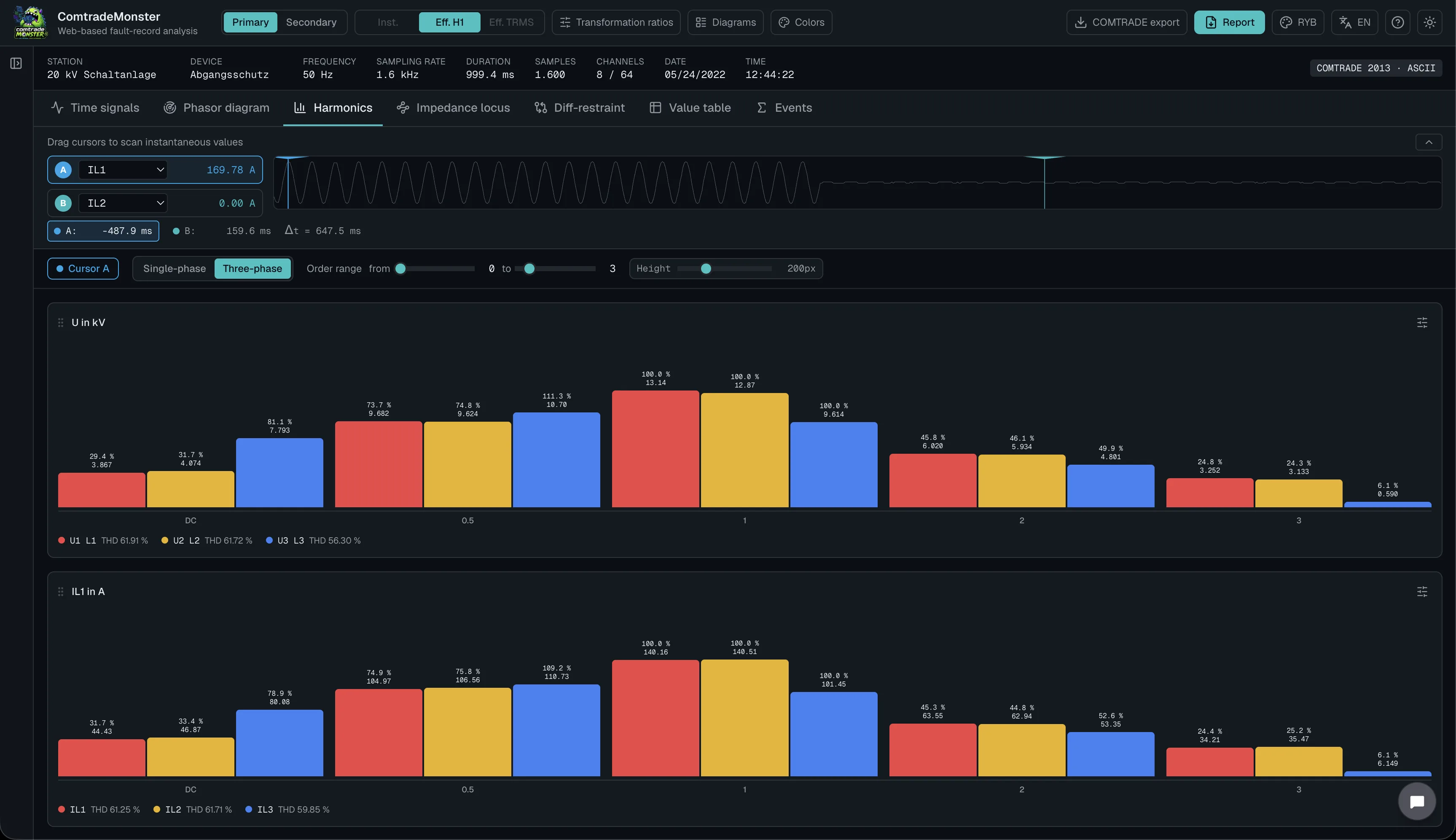
Harmonic analysis
Evaluate harmonic content of selected channels with an adjustable order range and clear spectral view.
- Spectrum view for selected analog channels
- Adjustable harmonic order range
- Magnitude readout per harmonic order
- Direct comparison across channels and time windows
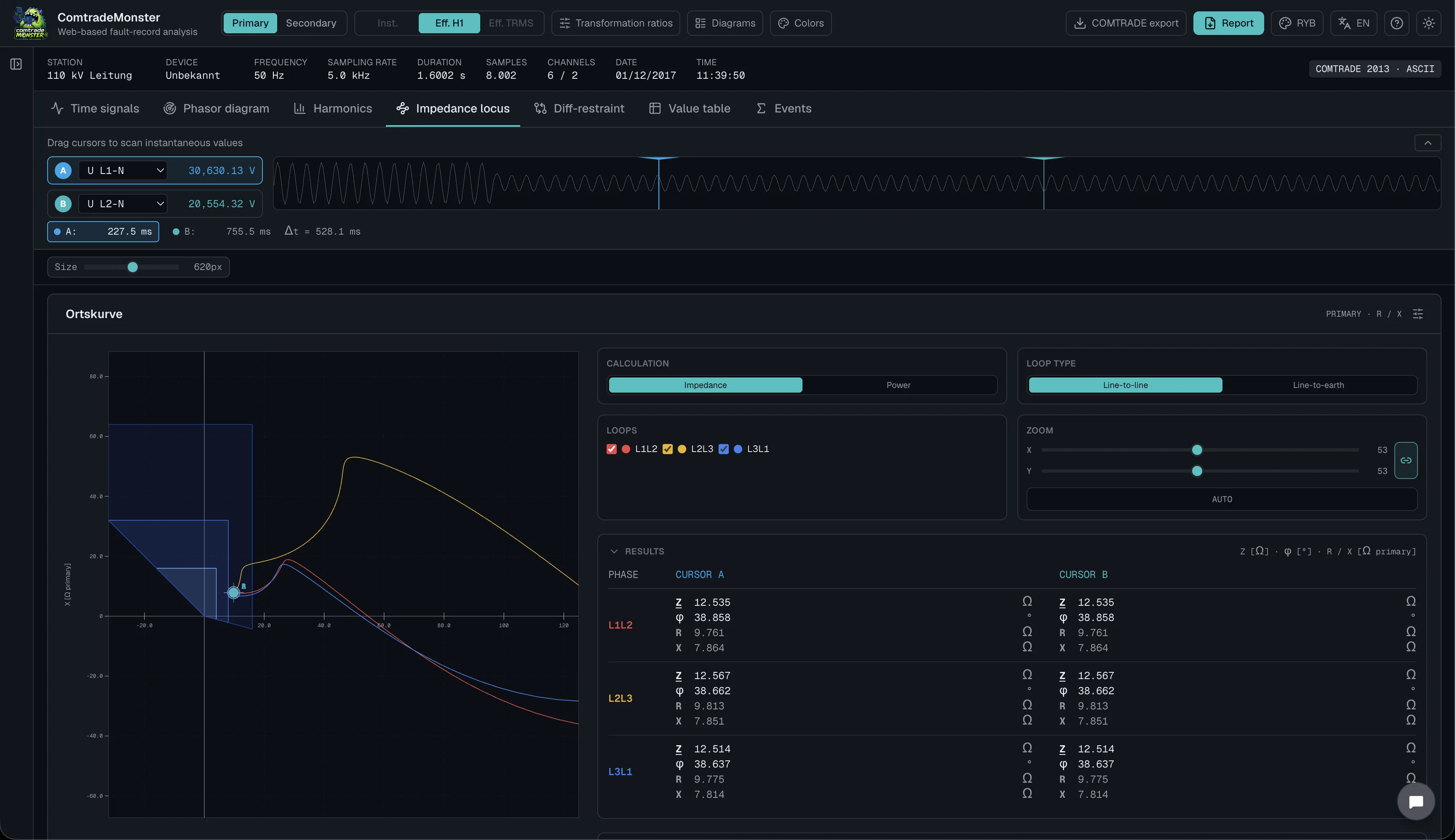
Impedance & power locus curves
Trace impedance and power trajectories directly from imported measurements for distance and power-based evaluations.
- Impedance locus curves from voltage and current channels
- Power locus curves for active/reactive trajectories
- Cursor-based readout along the locus path
- Configurable channel pairs and scaling
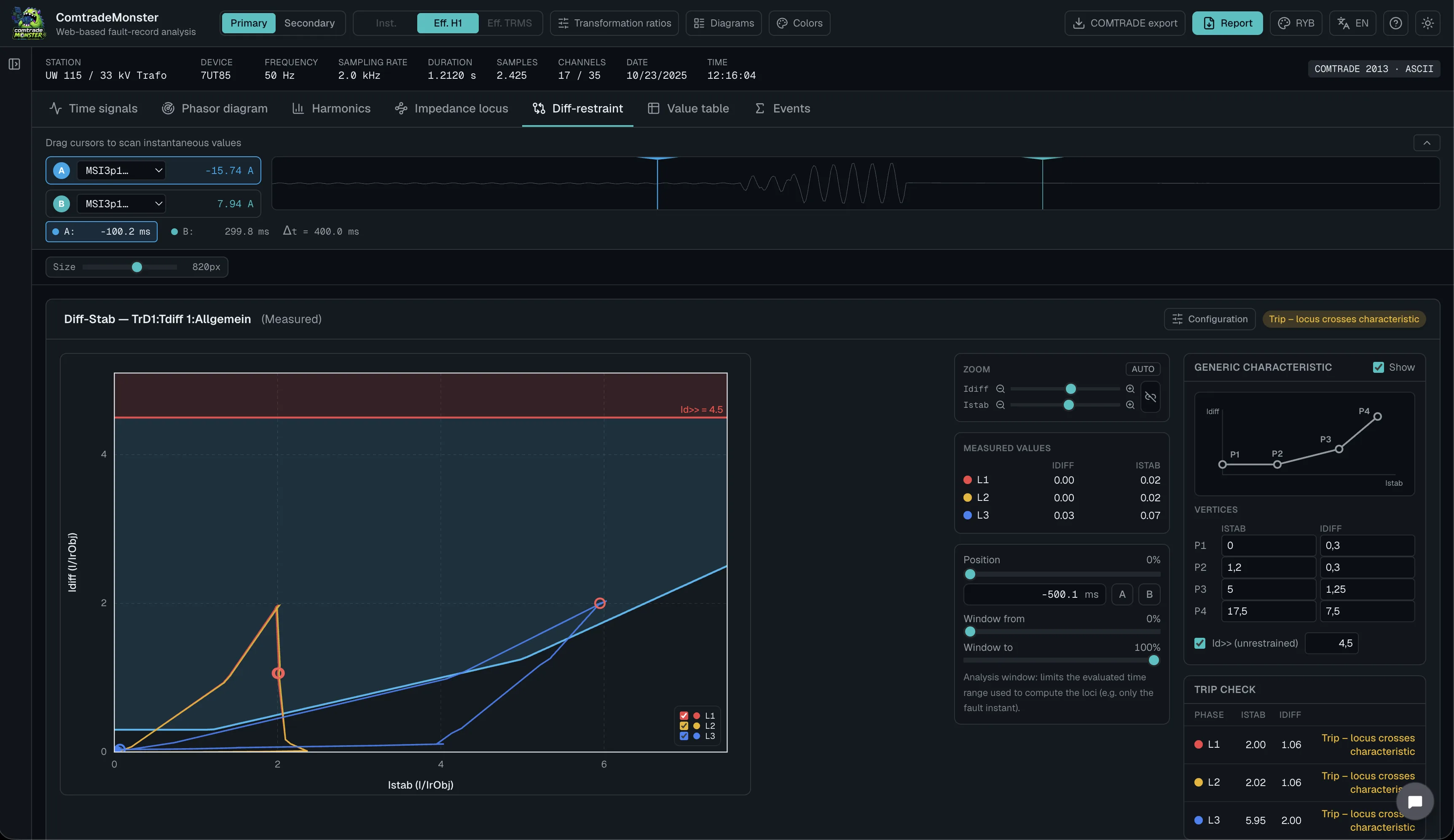
Differential protection stability
Assess differential/stabilizing behavior against configurable tripping characteristics from the recorded channels.
- Automatic detection of differential/stabilizing channel pairs
- Diff/stab operating points plotted over time
- Configurable tripping characteristics per diagram
- Clear pass/fail context for through-fault and internal-fault cases
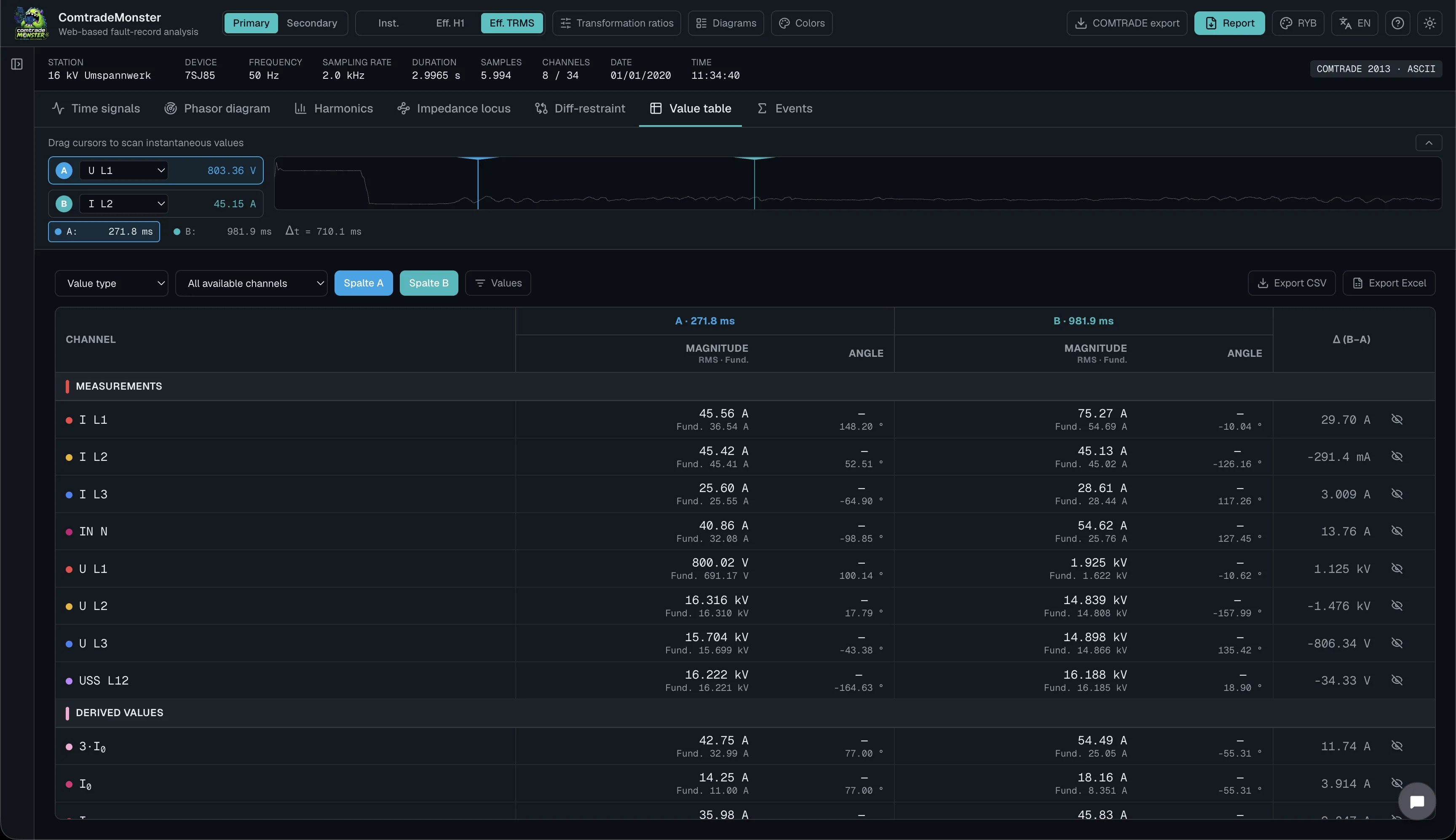
Values / table view
Review measured quantities in a structured table for fast numerical checks and documentation.
- Tabular measured values for selected channels
- Instant readout at cursors and event markers
- RMS, phasor, and derived quantities at a glance
- Sortable, export-friendly value layout
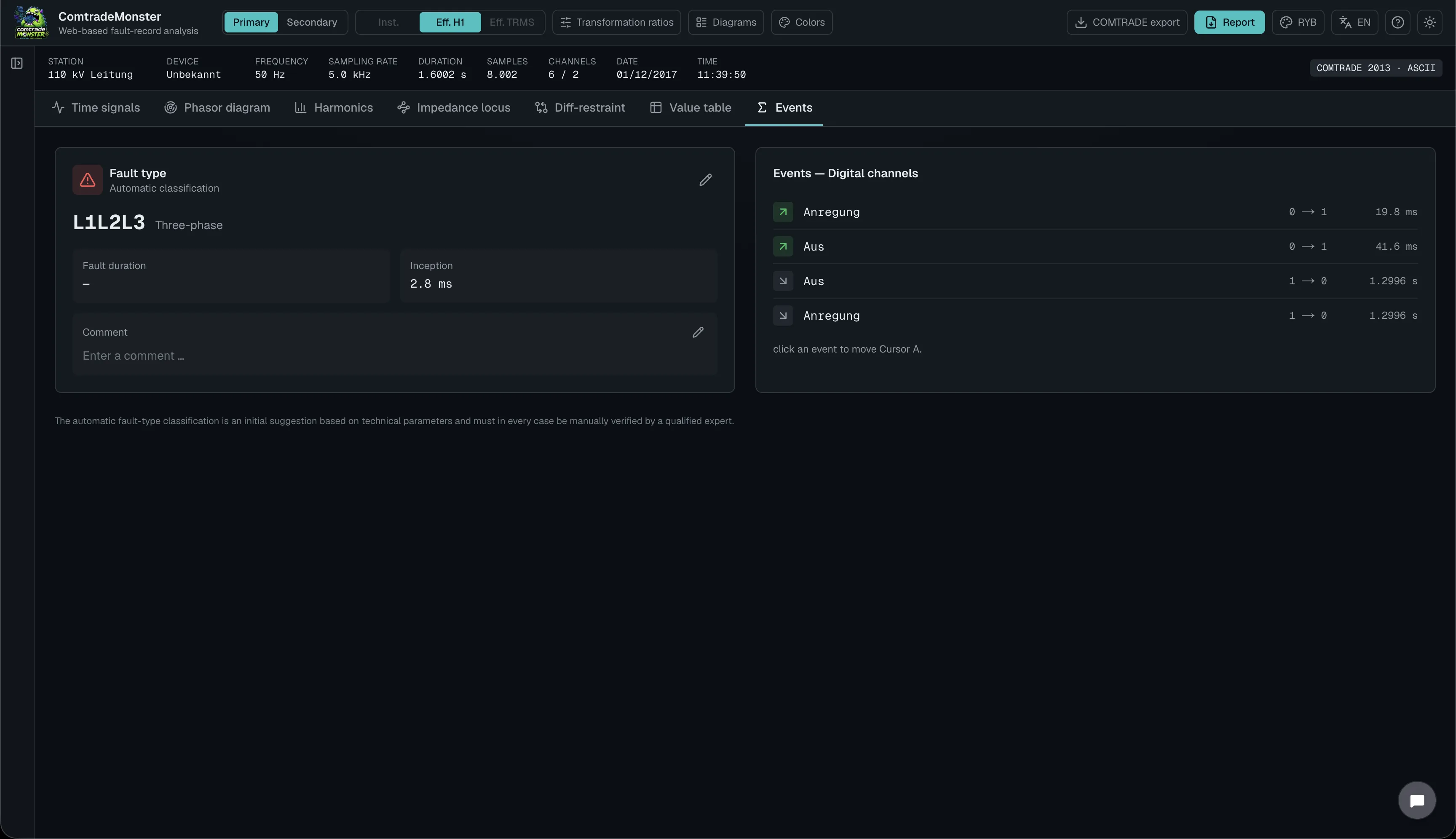
Events view
Classify faults and navigate event markers with duration and fault-loop context for each disturbance record.
- Automatic fault classification with event markers
- Fault duration and fault-loop identification
- Manual classification overrides per disturbance record
- Quick jump from events to the related signal views
One plan. Full feature set.
COMTRADE disturbance record analysis for protection testing engineers – no hidden costs.

Includes:
- Unlimited COMTRADE disturbance record analyses
- Time signals, phasor diagrams, harmonics, and locus curves
- Differential protection stability evaluation
- Cloud storage for your disturbance records and configuration
- Automatic reports as Word and PDF files
Frequently asked questions
Answers about features, analysis, storage, pricing, and support.
ComtradeMonster is a browser-based analysis suite for COMTRADE fault records (IEEE C37.111 / IEC 60255-24). Protection test engineers import, visualize, and analyze fault records from protection relays and disturbance recorders directly in the browser – no installation, no license dongle, no desktop software.
For protection test engineers, grid operators, test field personnel, plant constructors, and experts who need to evaluate fault records quickly and in compliance with standards – from a simple fault inception to differential protection stability assessment.
No. ComtradeMonster runs entirely in the browser. All you need is an up-to-date web browser and your login credentials – analysis therefore also works on the go, in the test field, or on site, and is available on both desktop computers and tablets.
The feature set surpasses established desktop tools and is implemented as a modern cloud solution: no installation, no device-bound licenses, access from any workstation, central storage of fault records and configurations, and automatic report generation as Word and PDF files. The power features are:
- Automatic fault and state detection
- Display of DC trends in the instantaneous value signal
- Calculation of active/reactive currents for earth-fault protection
- Calculation of diff/restraint characteristic curves for the most common manufacturers
- Calculation of the 25 Hz subharmonic for detecting power swings
- Overlay of protection characteristics to verify pickup points
- Import of multiple fault records at once
- Import in ZIP format
- Easy synchronization of multiple fault records
- Calculation of harmonics up to the 25th (1,250 Hz)
- A/B comparison of phasor diagrams
- 8 languages in light/dark mode
- Web-based – platform-independent
- COMTRADE export
- Display of fundamental-frequency and true RMS values
All three revisions of the COMTRADE standard: 1991, 1999, and 2013.
ASCII, BINARY, BINARY32, and FLOAT32. The classic multi-file sets (.cfg/.dat/.hdr/.inf) as well as ZIP archives are supported – convenient when you want to upload several fault records at once.
Fault records are managed in projects with a folder structure – for example by substation, bay, or test order. During import, ComtradeMonster detects the channels automatically and classifies them as current, voltage, or digital channels.
Yes. All parameters from the .cfg file – sampling rate, system frequency, channel scaling, time stamps – are applied automatically. You can start your analysis right away.
Seven specialized views: time signal, phasor diagram with symmetrical components, harmonic analysis, impedance and power loci, differential protection stability, tabular value view, and event view.
Analog and digital channels are displayed on a common time base. With the A/B cursors you measure amplitude and time differences precisely, while zoom and pan allow detailed analysis of the fault inception. Multiple fault records can be compared in overlay – for example the recordings from both line ends.
Yes. Positive-, negative-, and zero-sequence systems are calculated according to Fortescue and displayed in the phasor diagram. The phase reference is freely selectable, and an active/reactive current decomposition with wattmetric characteristic overlay is also available.
A spectral display for selected analog channels with an adjustable harmonic order range and amplitude evaluation per harmonic order. The harmonic content can be compared directly across channels and time windows – for example to assess inrush events or power swings. The DC component, the 25 Hz oscillation, and the 1st to 25th harmonics are calculated.
Impedance and power trajectories are calculated directly from the imported voltage and current channels and displayed in the complex plane. You evaluate along the locus using cursors; channel pairs and scaling are freely configurable – ideal for distance protection evaluations.
Yes. ComtradeMonster automatically detects diff/restraint channel pairs and displays the operating points over time. Tripping characteristics are configurable per diagram, so you can clearly distinguish through-faults from internal faults. If no diff/restraint measurements are available, ComtradeMonster enables calculation of the characteristic from the side currents. For busbar differential protection, up to 20 measuring points are available here.
Yes. The event view detects faults automatically, sets event markers, and shows the fault duration as well as the affected fault loop. If needed, you can manually override the classification per fault record and jump from an event to the corresponding signal view with a single click.
Yes. Every analysis can be exported as an automatic report in PDF or Word format – including the relevant diagrams and key values. This lets you create test documentation without manual copy-and-paste.
Your imported fault records and configurations are stored securely in your account in the cloud and are available again at every login – from any workstation.
Yes. Details can be found in the privacy policy, the data processing agreement (DPA), and the list of subprocessors, all of which are publicly available on the website.
There is one plan with the full feature set: €1,420 per year with annual billing (plus VAT), equivalent to €118.33 per month. Alternatively, quarterly billing is available at €499 per quarter. Included are unlimited fault record analyses, all analysis views, cloud storage, and automatic report generation – with no hidden costs.
Yes. With the free plan you can try ComtradeMonster with up to three COMTRADE imports. For unlimited imports and the full feature set, choose the paid plan. There are no separate cheaper paid tiers with fewer analysis modules.
Yes. Via the "Request a quote" function on the pricing page you can obtain a quote – for example for procurement through your purchasing department or for multiple users.
Yes. ComtradeMonster is continuously being extended with further analysis modules for protection engineering. As a subscriber, you receive new features automatically – without update installations and at no extra cost.
Support is available by email at info@comtrademonster.com. The provider is Californium GridFlow GmbH, Dresden, Germany.